Talk to a Human (We Promise)
No chatbots. No black hole inboxes. Just real people who know what they’re doing. Have questions? Need support? Just want to say hi? We’re here and ready to help.

Lorem ipsum dolor sit amet, consectetur adipiscing elit. Sed do eiusmod tempor incididunt ut labore et dolore magna aliqua. Ut enim ad minim veniam, quis nostrud exercitation ullamco laboris nisi ut aliquip ex ea commodo consequat.
Lorem ipsum dolor sit amet, consectetur adipiscing elit. Sed do eiusmod tempor incididunt ut labore et dolore magna aliqua. Ut enim ad minim veniam, quis nostrud exercitation ullamco laboris nisi ut aliquip ex ea commodo consequat. Duis aute irure dolor in reprehenderit in voluptate velit esse cillum dolore eu fugiat nulla pariatur.
Do you need a short filler version, or a longer one for layout testing?
You're in the right place. Here are some of the most common things we hear, plus what to do about them.
Every 30 days (Wi-Fi required). Non-negotiable. Weekly if you’re the kind of person who prefers things to work on the first try.
SmartBox gets more intuitive the more you let it update. Each sync pulls in software and firmware upgrades that expand vehicle coverage, squash bugs, and keep programming smooth. Weekly updates = fewer hiccups and more “done already?” moments. Go longer than 30 days without syncing and you might notice some features hit pause until you catch up. (And no, you don’t need Wi-Fi every time, just once a month to stay in the loop.)
There was. Then we invented something better. We one-upped the old-school PDF by creating the SmartBox Reference Guide app.
Our app (free for Android & iOS users), gives you access to:
Just log in with your Member Portal credentials and you’re set. Updates happen live, right on your phone, so you know what’s covered.
Haven’t downloaded it yet? Go grab SmartBox Reference Guide on iOS or Android.
There isn’t one. There are videos… and they’re short… and helpful! Instead of a dusty, 83-pager full of words you’ll never read, we built a full learning hub.
Use the app or log in to the Member Portal for access.
You’ll get:
You can find it all in the SmartBox app under “Training”, or within your Member Account at [smartboxauto.com → Member Login]. Want to see it in action? Head over to YouTube and search “SmartBox Automotive”.
Yes, there is a right way. And yes… it matters.
Use the app or log in the Member Portal for access.
Mix that up, and things might get weird (think multiple blown OBD power fuses).Trust us, it’s better this way.
Read the notes (yeah, yeah, but read them anyway). We explain each option, and when to use them.
Some vehicles (we’re looking at you, imports) have multiple programming options listed for the same model and year. The vehicle notes on the SmartBox and in the Reference Guide will tell you what you need to know, so you can choose what fits. Want even more detail? Our Immobilizer Legend breaks down the function within each programming option.
Here’s the smart part:
SmartBox learns. Over time, the options that actually work get nudged to the top of the list. It’s like magic, but cheaper.
Unless tech support explicitly tells you to, avoid the “Other Immos” button. It can confuse the vehicle’s ECU and possibly rack up extra usage charges and nobody wants that.
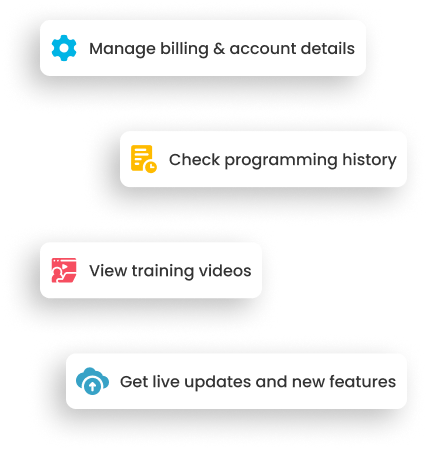
Your usage history lives in your online account. Everything you’ve done is tracked so you’re never left guessing, “Did I already program that Honda?”
Use the app or log in to the Member Portal for access.
There you can also:
Most actions = 1 use. Each use = $10.
Yes… but… only if it wasn’t your fault. Let’s say you select the wrong key or attempt an action against the advice of the vehicle note, for example. Unfortunately, we can’t refund the use. Even smart tools can’t override physics.
If you think you were incorrectly charged for a use:
We’ll do a full account review and let you know if a refund applies. If so, a refund will be credited to your account and discounted from your next billing statement.
Don’t sweat it. Give us a call. We’ll sort it out.
Call us at 1-855-767-8291 and we’ll:
Once you're in, you can update everything right in the Member Portal or Reference Guide
app.
No stress, and we promise not to paralyze you with obscure “security questions” from
2008.
Start with your distributor, they handle most tech issues. Still stuck? We’re next in line.
Your distributor is your first line of support. They know their stuff and can usually get you sorted.
If they’re unavailable or you need deeper help, contact us directly:
We’re humans. We’re fast. We’ll help.
We work with a wide range of chips… but only if they’re the right kind. Off-brand chips = off-brand headaches.
Here’s our list of supported chip types:
Roughly 95% of proximity keys and remotes that use Radio Frequency signals. That’s a lot.
Most vehicles use UHF (Ultra-High Frequency) that ranges between 314-902 MHz. There is a good chance that the remote for the vehicle you’re working on can be tested.
Here’s how to know it’s working:
Translation: It’ll let you know what’s working (and what is just flashing lights and false hope).
Cell phones can interfere with testing so be sure to save those calls for after the job.
The SmartBox did its job. Something else might not have.
If you see “Programming Successful” but the key/remote isn’t working:
Not every vehicle will send a positive or negative response to your device to let you know if the key was accepted or not. The usual suspect when this happens? Using the wrong key or remote. It happens.
Before calling it a fail:
Yep… most of them.
SmartBox can read pincodes for over 95% of vehicles that require them. It’s built right in… no extra tools, cables, or sorcery needed.
If you’ve scrolled the FAQs and you’re still scratching your head, don’t panic. Happens to the best
of us. The good news: you don’t have to play detective. Our support team of real humans can talk you
through the tricky stuff, and your distributor is always ready with tools, updates, and straight
answers.
So go ahead… raise a hand, ask the weird question, or double-check the detail that’s
bugging you. We’ve got the people, the knowledge, and the patience to help you figure it out. No
judgment. No runarounds. Just answers.

No chatbots. No black hole inboxes. Just real people who know what they’re doing. Have questions? Need support? Just want to say hi? We’re here and ready to help.

Need gear? Advice? A hero in your corner? Your local distributor is your go-to for purchases, updates and real-time support, They know how to help keep you moving without missing a beat.